
Purchasing
Most purchasing tools show you what is low. Opterion-IT shows you what is low, what a live order needs, why, and by when — in one list, one decision at a time. And the kits you assemble yourself go back on the shelf at what they really cost to build.
A stock report tells you what is low. It cannot tell you that the reason you are low is a $40,000 order that shipped last month, or that a different order needs the same part again in three weeks.
Opterion-IT treats a purchasing decision as something that deserves real context, not a bare quantity and a reorder button. Every open need carries its reason and, where one exists, the date it has to be met by — computed directly from the order driving it.
The connection to Quotes & Orders is what makes this possible. A kit exploded into eleven components on a quote is eleven tracked material requirements the instant that quote is ordered — not eleven lines someone has to notice and re-enter by hand into a separate purchasing system.
When it is time to buy, one supplier decision clears every open reason for that part at once, and the purchase order that results is clean: one line, the right quantity, sent to one supplier — regardless of how many separate jobs contributed to the number.
Purchasing and Quotes & Orders share the same underlying record. There is no export between them, no second data entry pass — just one continuous flow from the sale to the purchase order.
One kit, from recipe to shelf.
The same kit and the same five parts run through every shot below — defined once, demanded by a job, bought, received, and built into stock.
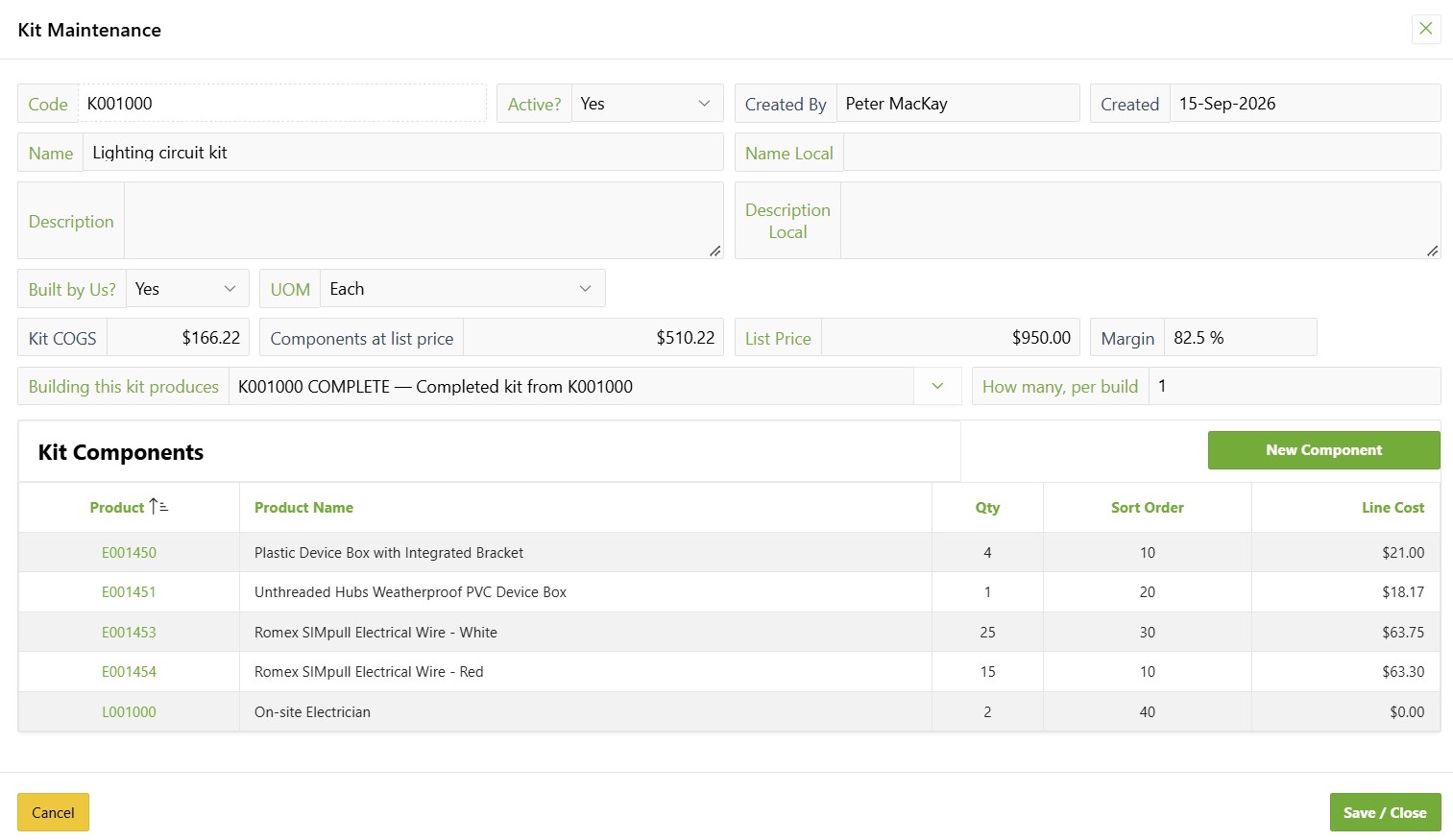
The recipe
Define the kit once: what goes into it, and what it costs to build.
Triage
Everything that needs buying, with the job that needs it and the date it is due.

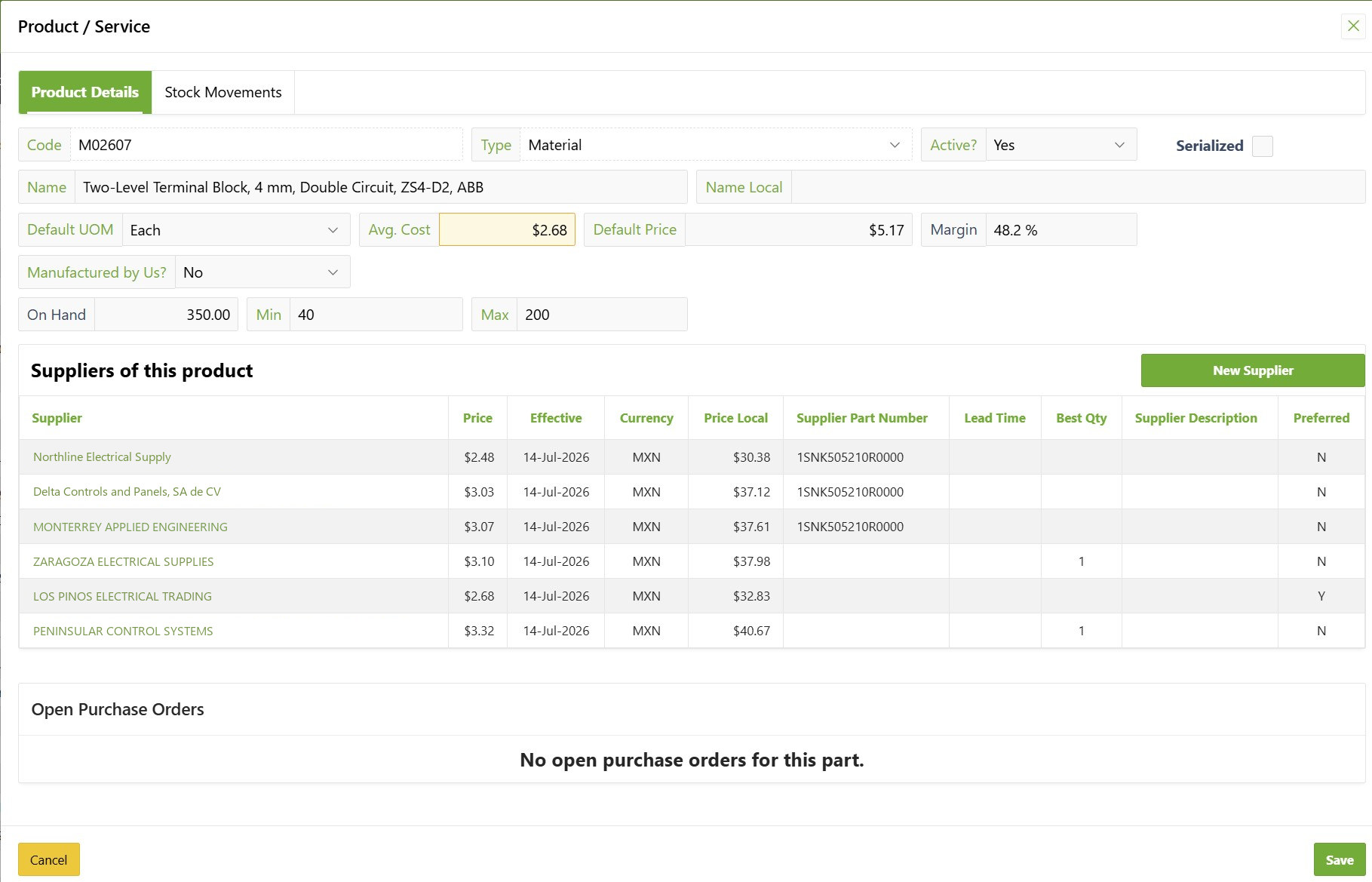
Choose the supplier
Every supplier who carries the part, their price and their own part number.
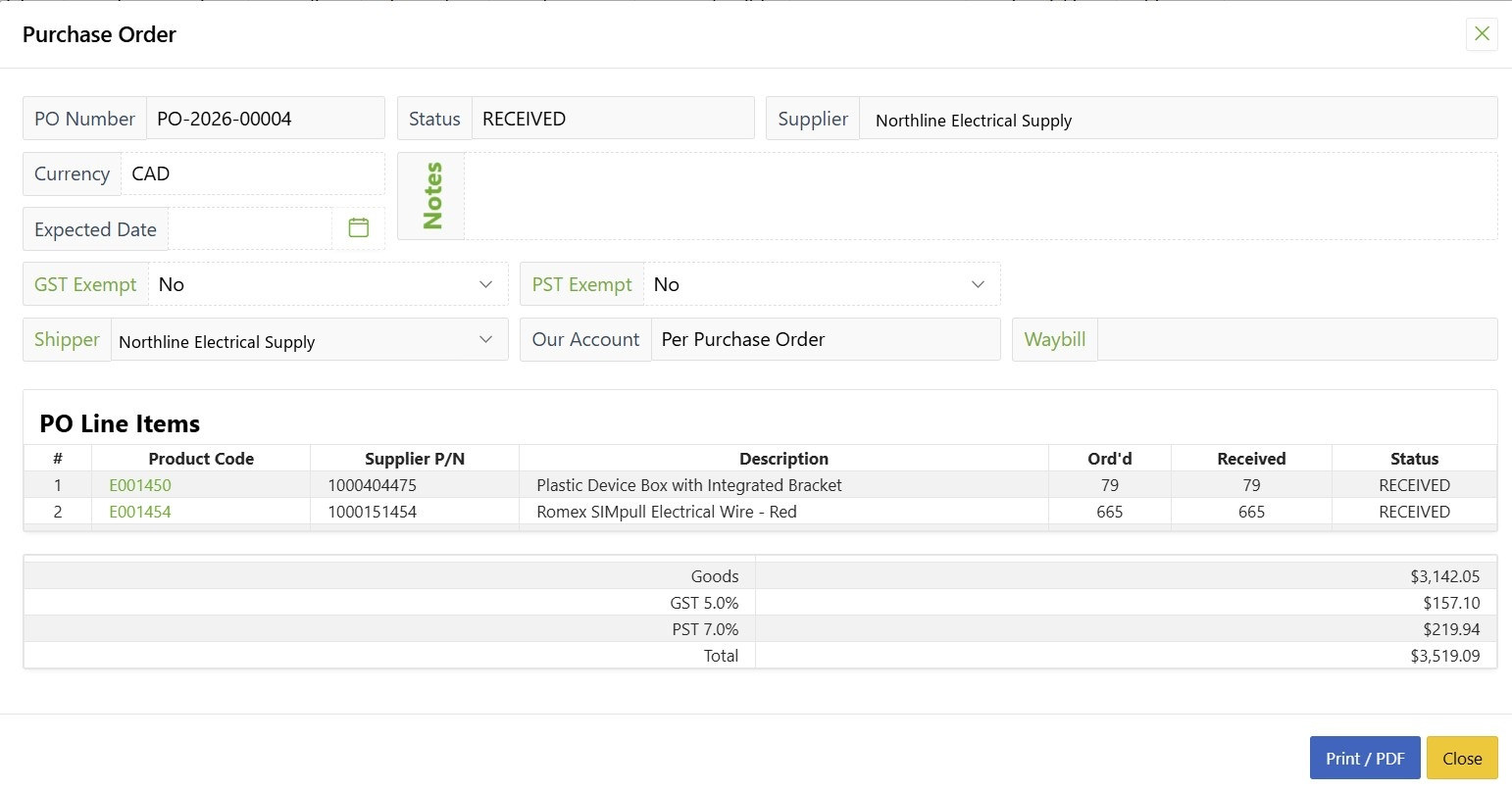
Purchase & receive
Selected lines become one order per supplier, closed out as the goods arrive.
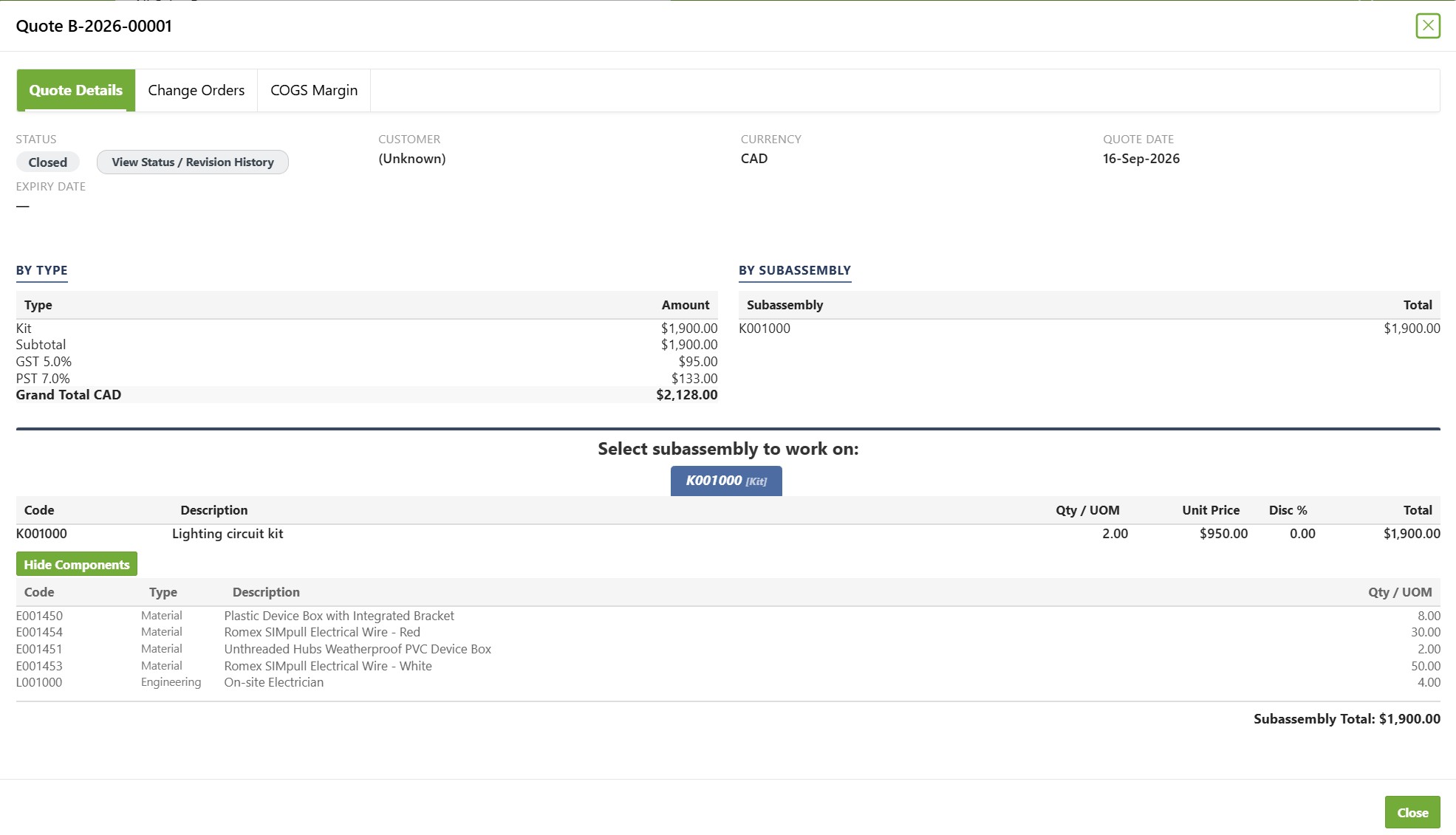
Build it into stock
The job that raised the demand, consuming the parts and the hours it took.
A new hire doesn't need six months to become effective. They need a login.
From the delivery to your books, once.
Opterion-IT looks after the gap between something happening and its paperwork existing. After that, it belongs to your accounting package.
Invoices against what arrived
Enter a supplier invoice by ticking the deliveries it covers. What was received and not yet billed stays in view until it is.
Bills with no purchase order
Rent, the phone bill, the card statement — keyed once against your own GL codes, with a warning when the same bill number turns up twice.
Three short lists
Bills to record, work to invoice, ready to send. Each is a list of things that have happened and have no document yet.
Sent once, and logged
Bills, credits and invoices go to your accounting package as one file per batch. Every send is logged, so nothing goes twice — and a deliberate resend says so on the file.
Opterion-IT never shows paid, overdue or ageing. That is your ledger's job, and it already does it.
Other modules to pair with Purchasing
Which vehicle is due for what, worked out from the fuel receipts and bills you already record. Services come due by distance, insurance and other renewals by date. No GPS box, no telematics subscription.
Learn moreHardware, software, and licences — accounted for and accountable.
Learn moreBookings, utilisation, and maintenance without the paper diaries and double-bookings.
Learn more